How MCP Team works
From your website to an answer in ChatGPT: what happens at each step, and what happens behind the scenes when AI asks about your business.
Step 1: We read your website
Paste your website on the home page. No account needed. MCP Team reads your public pages and drafts your brain: what you offer, prices, schedule, policies, how to book, contact details, bios and how you sound.
It usually takes a minute or two, and facts appear as they're found. In setup you can add up to 4 other sites you run.
How the reading works
- Up to 15 pages
- It starts with the pages that usually hold facts (about, services, menu, prices, booking, contact, FAQ) and goes at most two links deep. It skips logins, carts, checkouts, search pages, and files such as PDFs and images.
- It asks first
- It reads robots.txt, the file where a site says what bots may read, and skips what it's asked to skip. A site with no such file is read as usual. If the site's server fails or times out on that file, it leaves the site alone rather than guess.
- Public pages only
- It refuses private networks, local addresses, unusual ports and addresses with a password in them, and checks every redirect again. It's built so nobody can point it at something private.
- Claude drafts each fact
- Claude Opus 5.5 reads the text and drafts each fact with a quote copied word for word, and the page it came from. It's told to treat page text as data and to ignore any instructions in it.
- Code checks every fact
- A fact stays only if its quote is on one of the pages read (a dropped word or a line break is allowed), every price and phone number in it is on that page too, it isn't template filler (“Your Name”, “123 Main St”, lorem ipsum), and it isn't an event that already ended.
- Dates without a year
- When a page gives a date with no year, it tries to work out the year from the weekday. If it can't be sure, the fact is kept without a date and marked so you check it's still current.
- Disagreements become questions
- If two pages give different values for the same thing, it doesn't pick one. It asks you which is right.
- Your type of business
- It also guesses what kind of business you are, quoting the line that shows it. You confirm or change it, and that picks your questions.
rabbithole.services
Oct 22, 2026
Our own website, read for this guide
- pages read, of up to 15
- 5
- facts to review
- 30
- from start to finish
- 36 s
- call to Claude
- 1
Pages read
- /7,708 characters
- /es8,161 characters
- /luxdry9,321 characters
- /luxe-flooring-kitchen-and-bath10,227 characters
- /custom-amish-sheds10,558 characters
Each bar is a page against the 12,000-character cap. A whole read stops at 120,000.
Type of business it picked: Coach / consultant, from the line “Custom add-ons are quoted by a founder.” The owner confirms or changes it on the next screen.
Three of these pages are demo sites Rabbithole built for clients. They ended up as one fact, “Portfolio demos”, not as Rabbithole's own prices.
Step 2: You check every fact
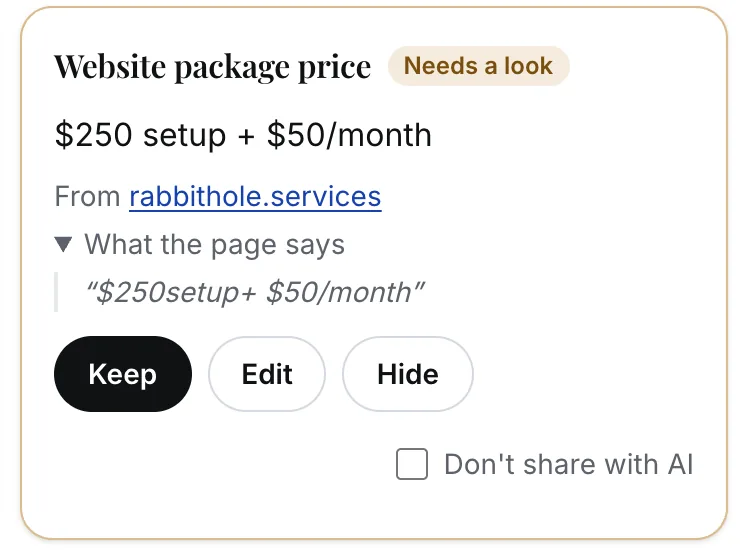
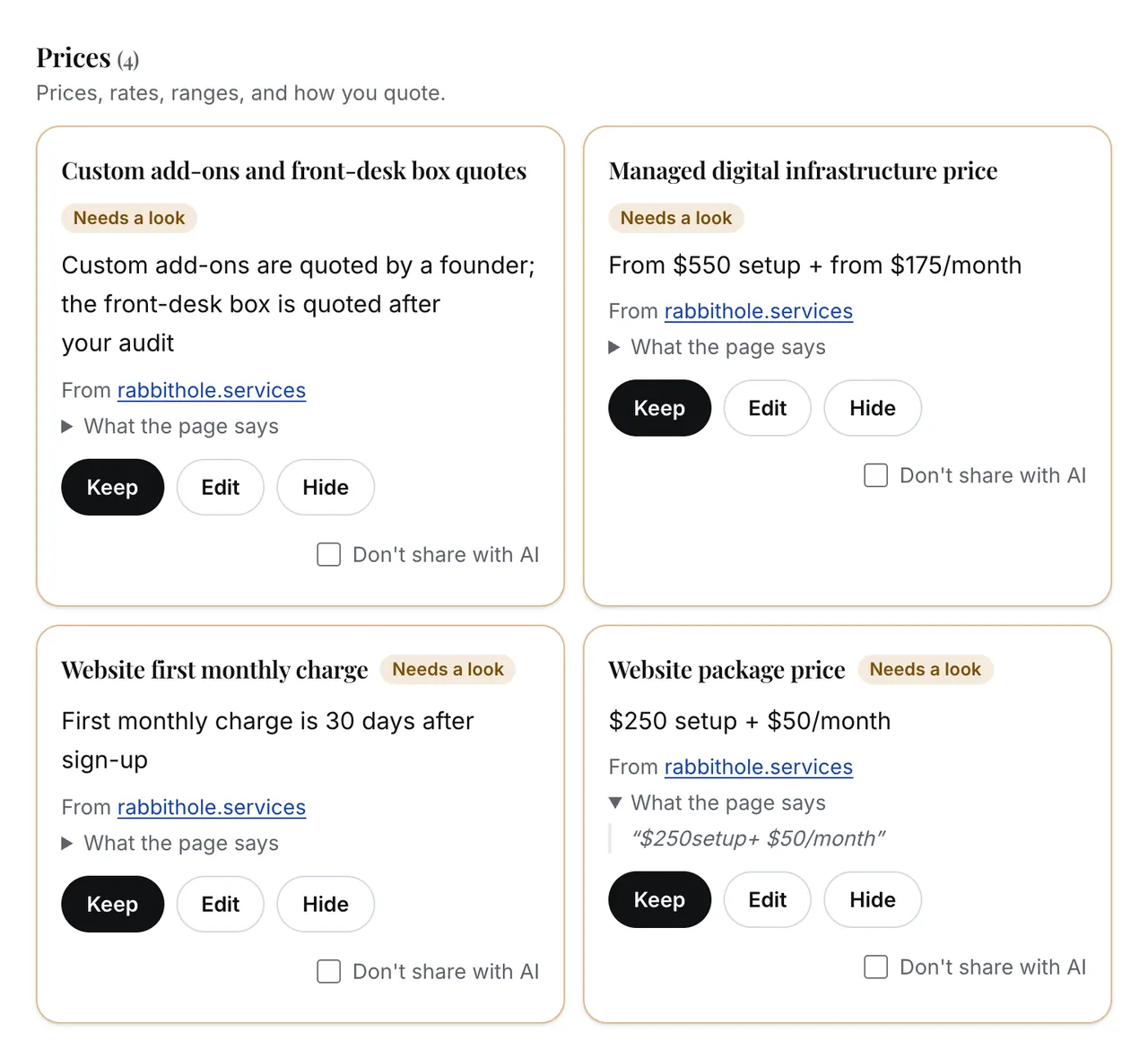
Every fact from the read starts as a draft, and drafts never reach any AI. For each one you can keep it, edit it or hide it.
Each fact shows the page it came from. “What the page says” opens the quote it was drafted from, which the code found on that page.
Tick “Don't share with AI” for anything only you should see. It stays in your brain, but never leaves through the connector or the download pack.
“Looks right” keeps every draft you haven't hidden.
Step 3: You save it
When the facts look right, save your brain with your email. No password. Your brain stays on this browser, and the email is how we reach you about it.
To open it on another device later, sign in with a 6-digit code we email you. Do that first on the browser where you made the brain, so it moves into your account.
Then come up to 10 questions for your type of business, starting with any disagreement the reader found. We fill in what we can from your site, and you can skip any of them.
You can also paste what ChatGPT or Claude already remembers about your business. It goes through the same checks as your website, and new facts wait for you to check them.
What comes after saving
- Questions for your type of business
- Pasting what your AI remembers
- Your personal connector link
- The download pack
- Your dashboard
A brain that's never saved is deleted after 7 days without changes.
Step 4: You connect your AI
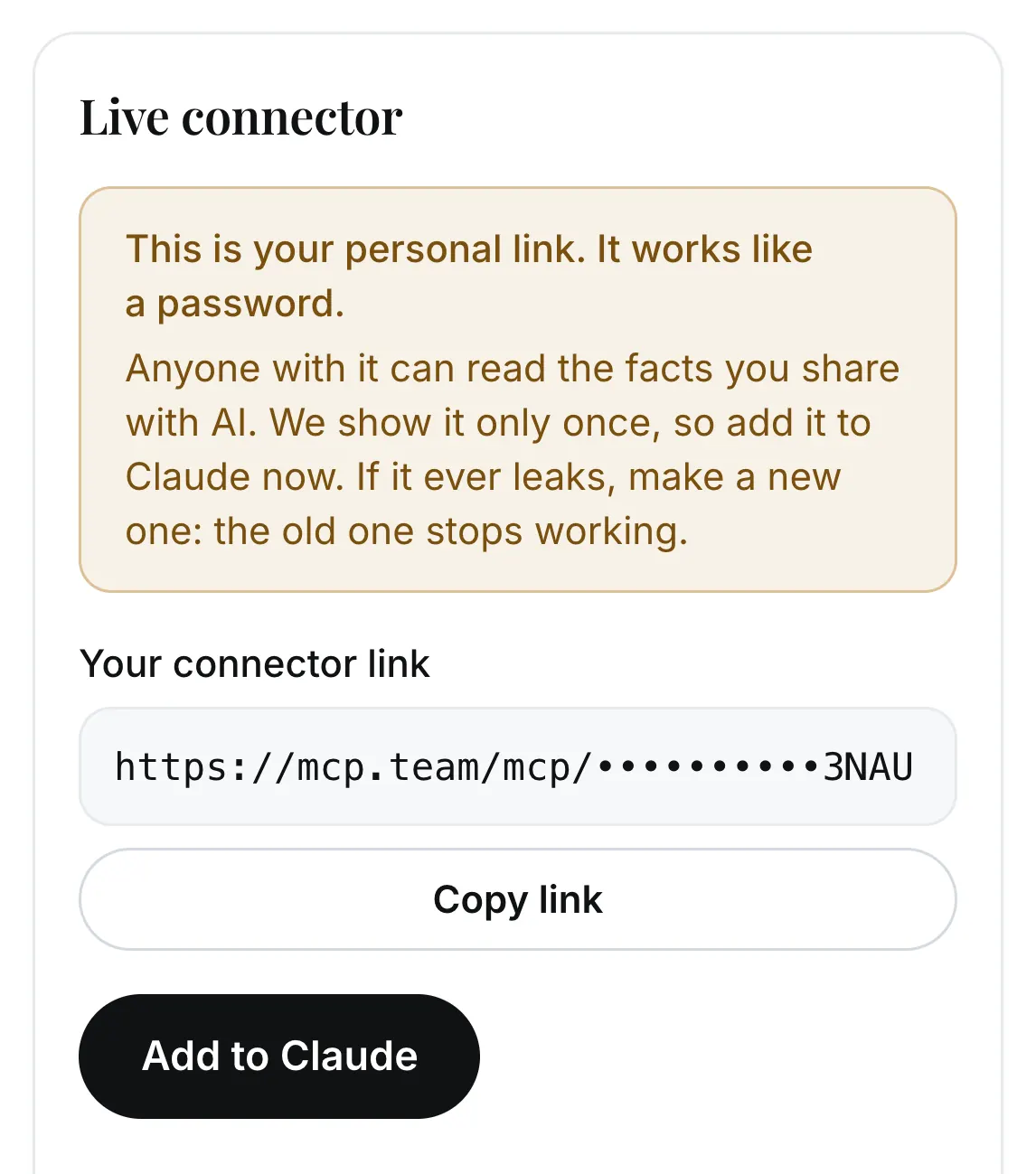
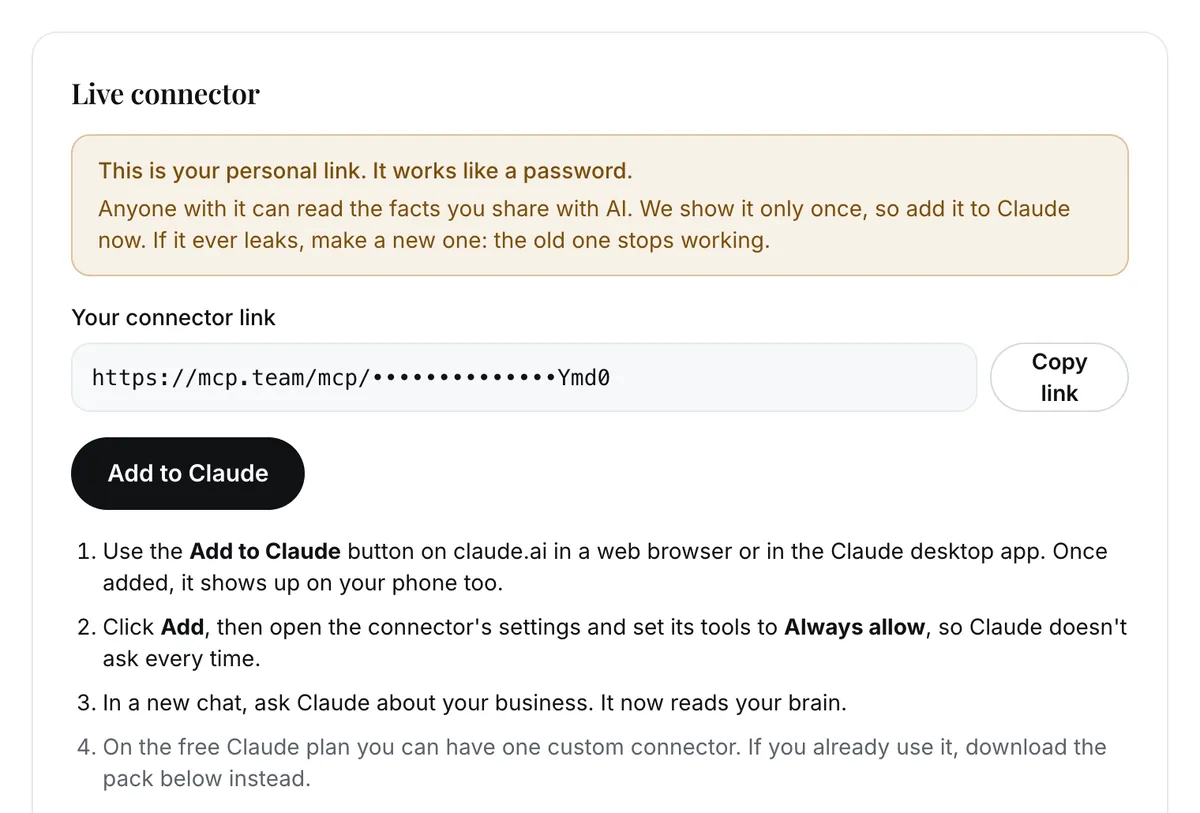
“Make my personal link” creates a private address for your brain: mcp.team/mcp/ followed by 43 random characters. It works like a password, so we show it once.
We keep only a fingerprint of it (a SHA-256 hash). That's enough to recognize the link, never to rebuild it. Lost it, or think someone else has it? Make a new one, and the old one stops working at once.
- Claude
- “Add to Claude” opens claude.ai with your link filled in, in a web browser or the desktop app. Once added, it's on your phone too. The free Claude plan allows one custom connector.
- ChatGPT
- The same link works as a custom MCP server in developer mode, with no authentication, on chatgpt.com in a web browser. It needs a paid plan that allows custom MCP servers. Not every paid plan does, and some only let ChatGPT read, not suggest changes.
- Any Claude plan
- Download the pack instead: instructions, your facts and ready playbooks for a Claude Project. It's a snapshot, so download it again after you change things. Private and hidden facts are left out.
Step 5: What happens when AI asks
Your link points Claude or ChatGPT at an MCP server that holds only your brain. MCP (Model Context Protocol) is the open standard AI apps use to call tools outside themselves.
Here is a real exchange with MCP Team, recorded for Rabbithole's own brain.
On every call
- A wrong or replaced link gets the same “not found” answer as a link that never existed.
- Each call is answered for one business only. Nothing is shared between brains.
- Only facts you approved and didn't mark private go out.
- The connector tells the AI to prefer your brain over its own memory, to say so rather than guess when something is missing, and to treat your facts as data, not instructions.
- Your dashboard shows when the link was last used.
You to ChatGPT
Asks
“A customer wants to know what a website costs. What do I tell them?”
ChatGPT to MCP Team
Calls the search tool through your link
search {"query": "website price"}MCP Team to Your brain
Finds the business by the link's fingerprint and reads its facts
Your brain to MCP Team
Only facts you approved and didn't mark private
MCP Team to ChatGPT
Sends back 10 matches, each with the page it came from
{"results": [
  {"id": "prices.website-first-monthly-charge",
   "title": "Website first monthly charge (Prices)",
   "url": "https://rabbithole.services/"},
  {"id": "prices.website-package-price",
   "title": "Website package price (Prices)",
   "url": "https://rabbithole.services/"},
  … and 8 more
]}
ChatGPT to MCP Team
Calls fetch for the one it needs
fetch {"id": "prices.website-package-price"}MCP Team to ChatGPT
Sends the fact in full, with its source
{"id": "prices.website-package-price",
 "title": "Website package price",
 "text": "Website package price (Prices): $250 setup + $50/month",
 "url": "https://rabbithole.services/",
 "metadata": {"business": "Rabbithole Services",
              "section": "prices",
              "updated_at": "2026-10-22"}}
ChatGPT to You
Answers from that fact
“The website package is $250 setup plus $50 a month.”
Its source: rabbithole.services
The six tools your link gives an AI
The AI decides which one to call. Five only read. One can suggest a change, and none can change a fact.
get_profileReads- Your whole approved brain, by section, or one section. Events that already ended are left out.
get_factReads- One fact, by its key or a few words, with the date it last changed. If it's not there, it says so and tells the AI not to guess.
list_upcomingReads- Dated items still to come, such as events, classes and closures, soonest first.
searchReads- For ChatGPT: the facts that match a few words, each with an id and a link to its source.
fetchReads- For ChatGPT: one fact in full, with a link to its source.
propose_changeSuggests- Saves a new or changed fact as a suggestion for you. Nothing changes until you approve it. With 25 waiting, it saves no more until you decide on some.
Step 6: Keeping it current
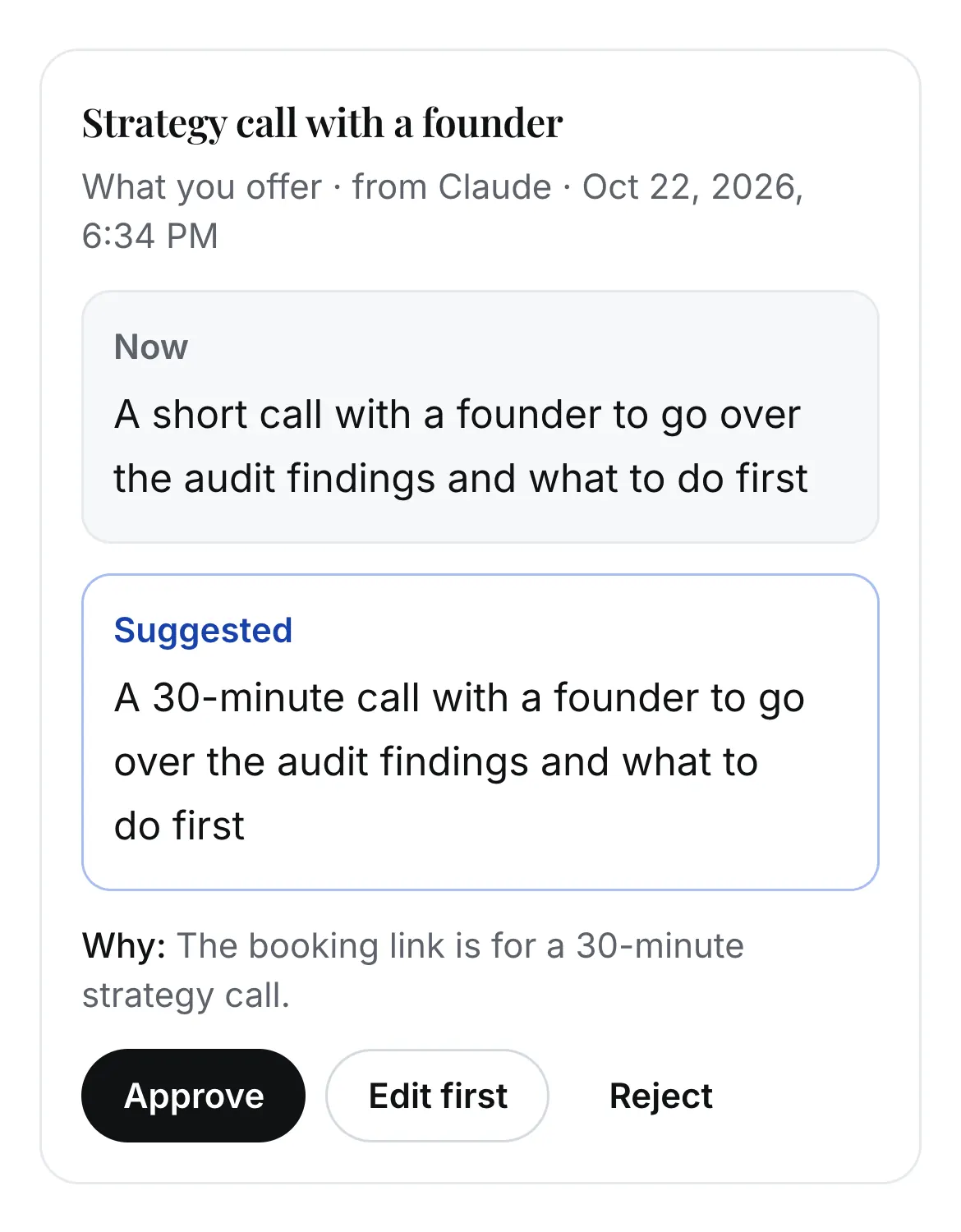
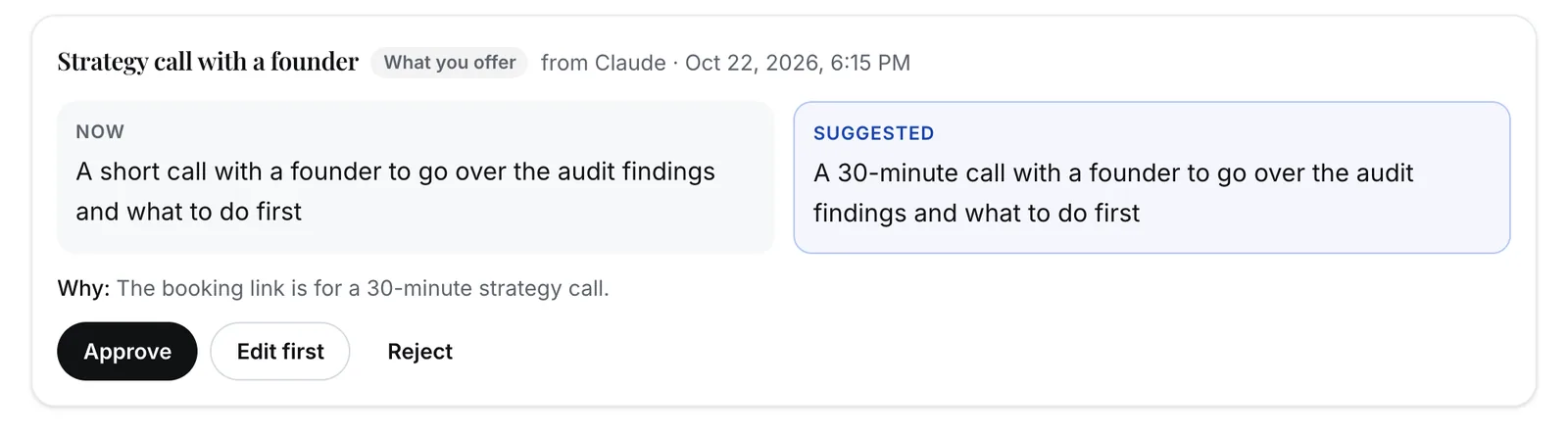
AI can only suggest. Tell Claude that something changed, and it can save that with propose_change. ChatGPT can too, on plans that allow write actions. The suggestion waits under Suggestions in your dashboard, with the current value, the new one and the reason.
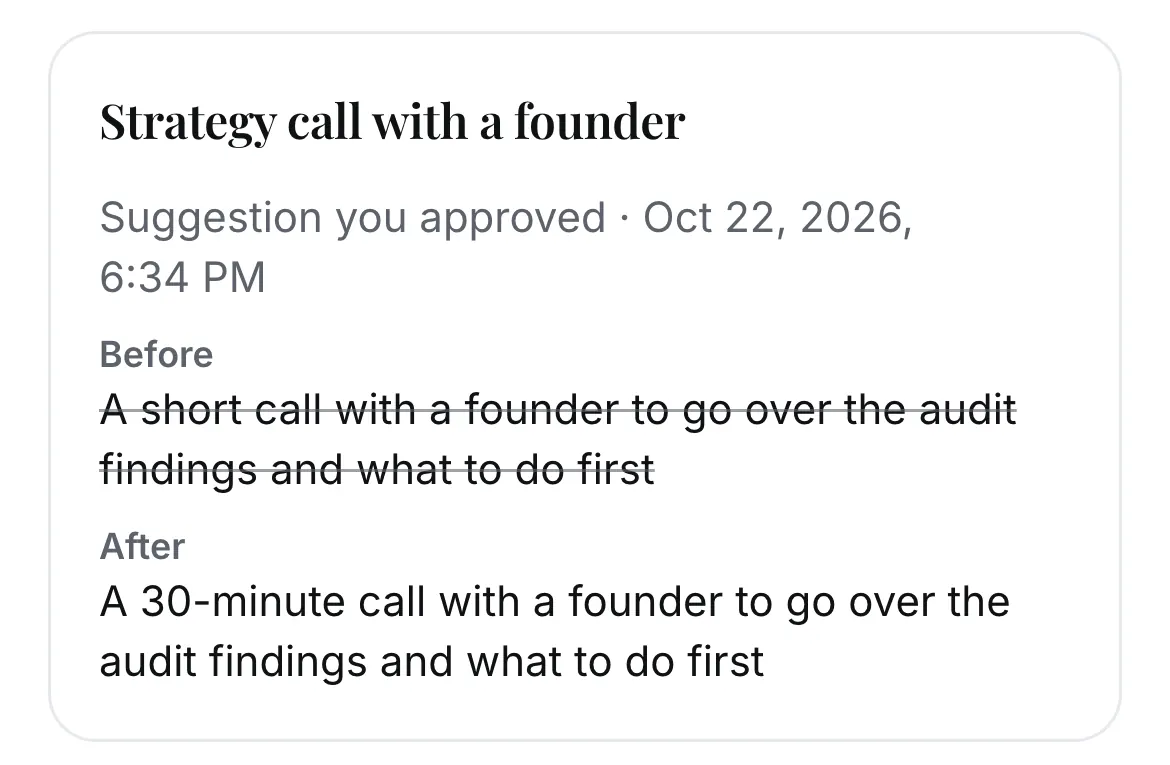
Approve it, edit it first, or reject it. Until you approve, the AI keeps getting the old value.
Re-read your website any time from the dashboard. New facts arrive as drafts to check. If a page changed a fact you already approved, that arrives as a suggestion too, never as a silent edit.
History keeps every old value, whether you or the AI changed it.

Limits worth knowing
Each read is a paid call to Claude, and anyone can start one without an account, so reads have limits.
- Before you save
- 2 reads per brain: the first, and one retry.
- Per network
- 3 reads a day. On shared Wi-Fi, such as an office or an event, everyone there counts as one network.
- Everyone together
- A daily cap on all reads, shared by everyone.
- After you save
- 5 reads a day per brain.
- One at a time
- One read at a time per brain.
- Pages and sites
- Your website plus up to 4 other sites. 15 pages per read across them, 12,000 characters each, 120,000 in all.
- Suggestions from AI
- The AI can't add more while 25 are waiting for you.
- Unsaved brains
- Deleted after 7 days without changes.
- Plans
- Claude's free plan allows one custom connector, and the pack works on any plan. ChatGPT needs a paid plan that allows custom MCP servers (developer mode), and on some plans it can only read.
See it with your own business
Paste your website and watch us draft your business memory. Free, no sign-up.
Want AI wired into your own tools? Talk to us →